OG images
How to Add Dynamic OG Images in Next.js
June 15, 2026 · 6 min read · Grabbit Team
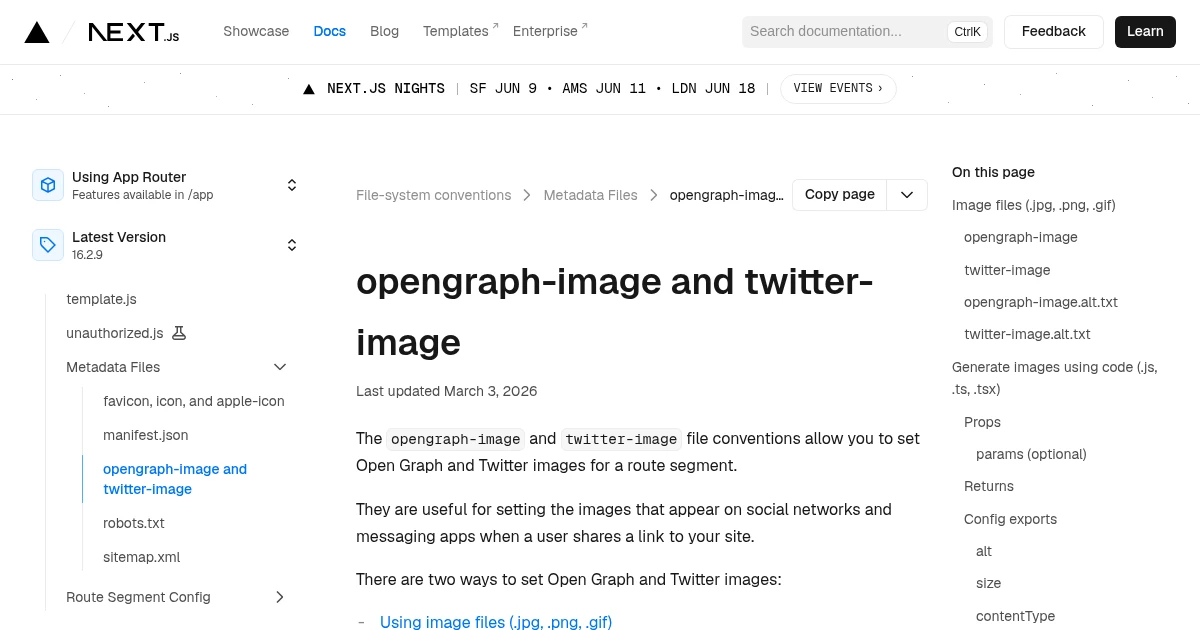
Next.js has dynamic Open Graph images built in: drop an opengraph-image.tsx file in a route segment and the framework generates the image and wires the meta tags. That covers most cases. The one it does not cover is when you want the OG image to be a real render of the page itself, not a separate JSX layout. This guide shows both: the native @vercel/og approach for templated cards, and a screenshot API for capturing the actual page.
The native approach: opengraph-image
In the App Router, any route segment can export an OG image. A static file is the simplest version:
app/
  blog/
    [slug]/
      opengraph-image.png   <- served automatically as the OG image
      page.tsx
Next.js detects opengraph-image.png and adds the og:image meta tags for that route. No code, no manual tags.
For a dynamic card, use opengraph-image.tsx and return an ImageResponse from next/og:
import { ImageResponse } from 'next/og';

export const size = { width: 1200, height: 630 };
export const contentType = 'image/png';

export default async function Image({ params }: { params: { slug: string } }) {
  const title = await getPostTitle(params.slug);

  return new ImageResponse(
    <div
      style={{
        width: '100%',
        height: '100%',
        display: 'flex',
        alignItems: 'center',
        justifyContent: 'center',
        background: '#0b1120',
        color: 'white',
        fontSize: 64,
        padding: 80,
      }}
    >
      {title}
    </div>,
    size
  );
}
The size export is what makes this a correct OG image: 1200 by 630 is the 1.91 to 1 ratio every major platform renders as a full-width card. For the full breakdown of why this ratio matters, see Open Graph image sizes.
This is the right tool when the card is a layout you control in JSX: a title, an author, a logo, a gradient. It runs on the edge, it is fast, and the image regenerates whenever the data changes.
Where opengraph-image falls short
@vercel/og renders a subset of CSS in an isolated environment. It does not render your actual page. That is a feature for simple cards, but it becomes a wall when the image you want is the page itself:
- A dashboard or chart that already looks good and should appear in the preview as it really renders.
- A page built with components, fonts, or CSS features that the OG renderer does not support, so you would have to rebuild the layout twice.
- A marketing or docs page where the OG image should just be a clean shot of the top of the page.
In those cases you are no longer generating a card. You are taking a screenshot of a real page, and that is a different tool.
The screenshot approach: capture the real page
A screenshot API renders the actual URL in a real browser and hands back a hosted image. You point it at the page (or a dedicated /og route you build with your normal components) and use the result as your og:image:
curl https://api.grabbit.live/v1/grabs \
  -H "Authorization: Bearer sk_live_..." \
  -H "Content-Type: application/json" \
  -d '{
    "url": "https://yourapp.com/og/some-post",
    "width": 1200,
    "height": 630,
    "format": "png",
    "delay_ms": 500
  }'
The response includes a hosted image_url:
{
  "id": "grb_01jx...",
  "status": "done",
  "image_url": "https://cdn.grabbit.live/grabs/grb_01jx....png",
  "width": 1200,
  "height": 630,
  "format": "png",
  "bytes": 71240,
  "execution_ms": 1240
}
Width accepts 320 to 1920 and height 240 to 1080, so 1200 by 630 is in range. The delay_ms field (0 to 10000) gives client-rendered content or web fonts a moment to settle before the capture fires. Wire the returned image_url into your metadata:
export async function generateMetadata({ params }): Promise<Metadata> {
  const { ogImageUrl } = await getPost(params.slug);
  return {
    openGraph: {
      images: [{ url: ogImageUrl, width: 1200, height: 630 }],
    },
  };
}
Cache the result: call the API once per unique page, store image_url alongside the page record, and serve it from there so you are not capturing on every request. The same template-and-cache pattern, applied to your real page instead of a JSX card, is covered in how to generate dynamic OG images from any URL.
Why your Next.js OG image is not showing up
When the card renders locally but the shared link shows nothing (or the wrong image), the cause is almost always one of four things, in rough order of how often they bite:
- The file is in the wrong place.
opengraph-image.tsxhas to sit inside a route segment underapp/, next to thepage.tsxit belongs to. A copy inpublic/or at the project root is never picked up. Confirm the generated route resolves by opening/your-route/opengraph-imagedirectly in the browser. - The route is not deployed yet. Social crawlers fetch an absolute URL from the public internet. If the page is only on
localhostor an un-deployed preview, theog:imageURL 404s for the crawler even though it works for you. Deploy the branch, or tunnel the local server out, before testing the unfurl. - The platform cached an older scrape. Facebook, LinkedIn, Slack, and iMessage all cache the first result they see and reuse it for a while. After you change the image, force a fresh fetch with the platform's own tool (the Facebook Sharing Debugger has a "Scrape Again" button; LinkedIn's Post Inspector re-fetches on each check). The new card usually appears within minutes.
- The image itself failed to generate. If the
ImageResponsehandler throws (a font that will not load, a data fetch that times out on the edge), Next.js serves no image and the meta tag points at a broken route. Load the image route directly and watch for an error before you blame the crawler.
One runtime gotcha worth calling out: next/og runs in the Edge runtime, which does not include the system fonts a normal Node process has. If your card uses a custom typeface you must fetch the font file and pass it in the ImageResponse fonts option, or the text silently falls back and the layout shifts. A screenshot capture of a real page sidesteps this entirely, since the page renders in a full browser with your fonts already loaded.
To confirm the actual pixels before you ship, capture the image route or your /og template at 1200 by 630 and inspect the returned image_url. Because that render runs on hosted infrastructure, the same check works in a CI step where there is no local browser to drive, so a broken card never reaches production.
Which to use
- Templated card (title, author, brand), no need to match the page: native
opengraph-image.tsxwith@vercel/og. It ships with Next.js and runs on the edge. - The OG image should be a real render of the page or app: a screenshot API. You capture what users actually see, including content
@vercel/ogcannot reproduce.
Many apps use both: @vercel/og for blog and marketing cards, a screenshot API for the pages that are too rich to rebuild as a card.
Before you ship, confirm the tags resolve and the card looks right by testing the live URL. New to the format? Start with what is an OG image.
FAQ
- How do I add an OG image in Next.js App Router?
- Add an opengraph-image file to any route segment in the app directory. A static opengraph-image.png is picked up automatically. For dynamic images, add opengraph-image.tsx that exports an ImageResponse from next/og. Next.js wires the og:image meta tags for you, so you do not set them by hand.
- What size should a Next.js OG image be?
- 1200 by 630 pixels, the 1.91 to 1 ratio that Facebook, X, LinkedIn, Slack, and Discord render as a full-width card. Set the size in the ImageResponse options (or the exported size object) so the generated image matches exactly.
- Why is my Next.js OG image not showing up?
- The three usual causes are: the file is in the wrong place (it must sit in a route segment under app, not in public), the route is not deployed yet so the absolute URL 404s, or the social platform cached an older version. Test the live URL directly, then re-scrape with the platform's debugger (for example the Facebook Sharing Debugger) to clear the cache.
- How do I preview a Next.js OG image locally?
- Visit the image route directly in your browser. For a route segment at app/blog/[slug], the generated image is served at /blog/[slug]/opengraph-image. Open that URL in dev to see the rendered card without sharing the link anywhere.
- Should I use @vercel/og or a screenshot API for OG images?
- Use @vercel/og when the card is a layout you design in JSX (title, author, brand) that does not need to match the page pixel for pixel. Use a screenshot API when you want the OG image to be a real render of the actual page or app, including content @vercel/og cannot easily reproduce, such as charts, maps, or a live dashboard.
Capture any website with one API call
Get a free test key and capture your first screenshot in two minutes.
Written by
Grabbit Team
Screenshots as a service
The team behind Grabbit, the screenshot API for developers and AI agents. We write about web capture, rendering, and automating screenshots at scale.
Keep reading
How to Generate Dynamic OG Images from Any URL
Generate a unique Open Graph image for every page by pointing a screenshot API at your HTML template. One template, zero design work, scales to any number of pages.
Jun 12, 2026 · 4 min read
What Is an OG Image? Why Your Shared Links Look Broken
An OG image is the preview image that appears when a link is shared on social media. Learn what it is, why it breaks, and how to automate one per page.
Jun 13, 2026 · 5 min read
Open Graph Image Sizes and Dimensions: The Complete 2026 Guide
The right Open Graph image size is 1200 by 630 pixels. Here are the exact dimensions for Facebook, X, LinkedIn, Slack, and Discord, plus how to generate OG images from a URL.
Jun 10, 2026 · 4 min read