OG images
How to Test and Preview Your OG Image Before Publishing
June 14, 2026 · 13 min read · Grabbit Team
You added an og:image tag, pushed your changes, shared the link, and the preview is wrong: the old image, a cropped logo, or nothing at all. The fix is to preview the card before you publish, not after. This guide covers the fastest ways to test an OG image, including the case the online tools cannot handle: a page running on localhost.
The short answer
Run your page URL through a free Open Graph checker. The three that fetch your live page and render the card the way each platform would:
- opengraph.xyz scans any URL and previews the card across Facebook, X, LinkedIn, and more.
- Open Graph Validator (Orca Scan) lists every tag it found and flags what is missing.
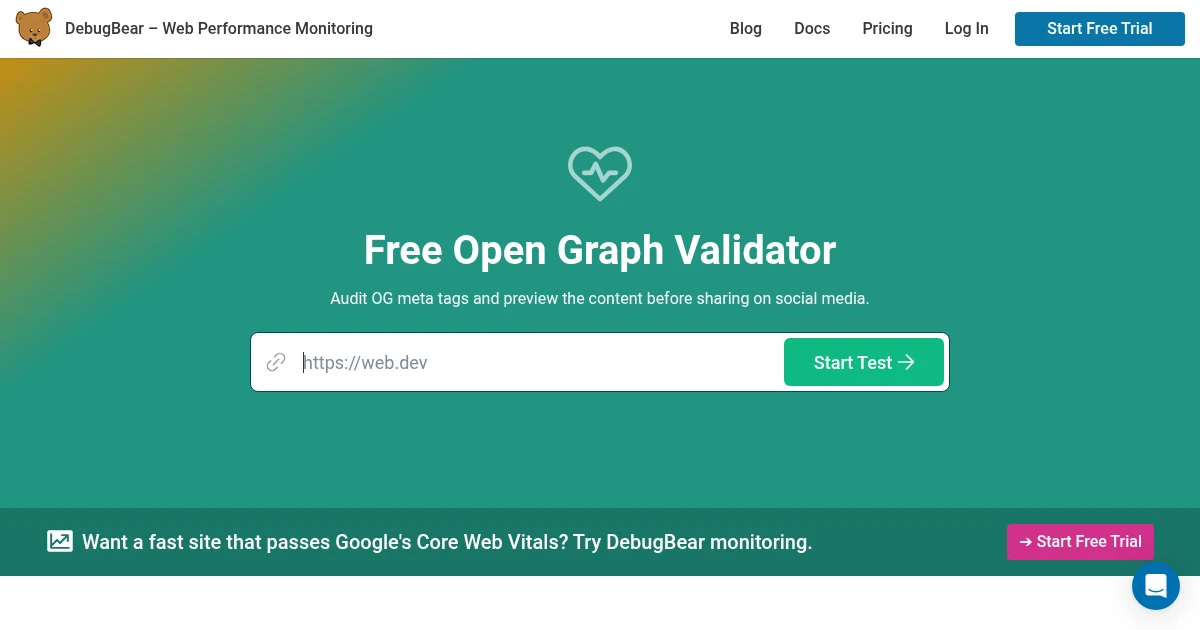
- DebugBear's OG checker validates the tags and the image dimensions.
Paste your URL, read the rendered card, fix any tag it flags, redeploy. That covers a page that is already live. The harder cases are below.
Use the platform debuggers for the real result
The general checkers above are fast, but the platforms cache what they scrape, and that cache is what users actually see. To test against the real thing and to clear a stale preview, go to the source:
- Facebook: Sharing Debugger. Shows exactly what the crawler sees and has a Scrape Again button to force a fresh fetch.
- LinkedIn: Post Inspector. Re-fetches on every check, so it doubles as a cache buster.
- X (Twitter): X reads
og:image, but the large card only renders whentwitter:cardis set tosummary_large_image. The simplest live test is to paste the URL into a draft post and look at the attached card before sending.
If you changed your image and the old one still appears, this is almost always a cache issue. Re-scrape through Facebook's debugger or LinkedIn's inspector and it clears within minutes.
How to test an OG image on localhost
This is the question the online tools cannot answer. A social debugger runs on the platform's servers, so it has no route to http://localhost:3000. You have two options.
Option 1: expose localhost with a tunnel. Run a tunnel like ngrok to get a public URL that points at your local server, then paste that URL into any of the checkers above. This gives you the real unfurl preview while your code is still local.
Option 2: capture the OG template directly. If your OG images are generated from an HTML template (the scalable pattern, where one /og route renders the title and branding), you do not need a social crawler to see the image. You need to see what the template renders at 1200 by 630. Point a screenshot API at the template URL and inspect the returned image:
curl -X POST https://grabbit.live/api/v1/grabs \
  -H "Authorization: Bearer sk_test_..." \
  -H "Content-Type: application/json" \
  -d '{
    "url": "https://your-tunnel.ngrok.app/og?title=My+Post+Title&category=Guides",
    "width": 1200,
    "height": 630,
    "format": "png"
  }'
The response returns a hosted image_url showing exactly what your template produces at the OG card size. You are checking the rendered pixels (Is the title cut off? Does the logo fit? Is the contrast readable?) rather than the social unfurl. Use a sk_test_ key while you iterate; test grabs return a deterministic placeholder and never cost a credit, so you can capture as often as you like while tuning the template.
How to test how your link looks in Slack, Discord, and iMessage
The web debuggers preview the Facebook, X, and LinkedIn layouts, but a lot of links get shared in chat apps that read the same Open Graph tags and render their own card. The good news is they all pull from the same og: tags, so if those are correct the chat previews follow. The reliable way to check each one is to share the link into a private space you control:
- Slack reads
og:title,og:description, andog:image, and caches the unfurl. Post the link in a direct message to yourself. If it shows a stale image, Slack re-fetches when the cached copy expires, so editing the message and re-pasting the URL often forces a fresh pull. See fixing broken Slack and iMessage previews for the full unfurl path. - Discord renders a card from the same tags and is quick to update. Paste the link in a private server or a DM. If nothing unfurls, the usual cause is a missing
og:imageor a tag injected by client JavaScript that Discord's crawler never runs. The Discord link preview guide walks through each case. - iMessage builds its rich link from
og:imageand the page title. It caches hard on the device, so test on a device that has not seen the link before, or with a fresh URL, to see the current card.
In every case the card is only as good as the image behind it. To confirm the actual pixels before you share anywhere, capture your OG template with a screenshot API (below) rather than trusting each app's preview one at a time.
A pre-publish checklist
Before you ship a page, confirm:
og:imagepoints to an absolute URL (includinghttps://), not a relative path. Crawlers do not resolve relative paths.- The image is at least 600 by 315, ideally 1200 by 630. Below the minimum, the card collapses to a thumbnail.
og:image:widthandog:image:heightare set so the platform reserves the right space.twitter:cardis set tosummary_large_imageif you want the large card on X.- The image URL is publicly reachable, with no auth wall or redirect in front of it. Some crawlers do not follow redirects.
- Your meta tags are server-rendered, not injected by client JavaScript. Crawlers run little to no JS.
If all six pass and the debugger still shows the wrong image, force a re-scrape to clear the cache.
How to automate OG image previews in CI
Manually pasting a URL into a debugger works once. When every blog post, product, or profile generates its own OG card, the check belongs in your pipeline so a broken image never ships. The pattern is the same capture call, run on each pull request or deploy against the deployed preview URL.
Add a step that captures the OG template at 1200 by 630 for the pages that changed, then either eyeball the returned images in the CI artifacts or feed them to a vision model that asserts the title is present and not clipped:
curl -X POST https://grabbit.live/api/v1/grabs \
  -H "Authorization: Bearer sk_live_..." \
  -H "Content-Type: application/json" \
  -d '{
    "url": "https://preview.yoursite.com/og?title=New+Post&category=Guides",
    "width": 1200,
    "height": 630,
    "format": "webp"
  }'
The hosted image_url in the response is the exact card your og:image tag will serve. Store it as a build artifact so a reviewer sees the rendered preview in the PR, or compare it against the last known-good capture to catch a template regression before merge. Because the render runs on hosted infrastructure, this works in CI runners where there is no local browser to drive. An sk_test_ key returns a placeholder at no cost while you wire the step up.
Why previewing matters more for dynamic images
A single hand-made OG image is easy to eyeball once. But the moment you generate images dynamically (one per blog post, one per product, one per user) you cannot manually check every output. That is exactly when previewing through a screenshot API pays off: the same call that generates the image is the call that lets you inspect it, so you can catch a clipped title or an overflowing string before any of them go live.
This is the workflow Grabbit's screenshot API is built for. Render your OG template, capture it at 1200 by 630, store the returned image_url, and drop it into your og:image tag. Start with a free test key to dial in the template, then switch to a live key for production captures.
Checker vs validator vs debugger: which tool does what
The three words get used interchangeably, but they answer slightly different questions, and knowing which to reach for saves a round trip.
- A checker (opengraph.xyz, DebugBear) is preview-first. It fetches your live page and renders the card the way each platform would, so you see the unfurl. Reach for it when the question is "how will this look when someone shares it?"
- A validator (Orca Scan's Open Graph Validator) is tag-first. It lists every Open Graph tag it parsed and flags what is missing or malformed. Reach for it when the question is "which tag is wrong?"
- A debugger (Facebook's Sharing Debugger, LinkedIn's Post Inspector) is cache-first. It shows what that specific platform has scraped and lets you force a fresh fetch. Reach for it when the preview is stale or a change is not showing up.
None of the three can see a page that is not deployed, and none inspects the rendered pixels of a dynamic OG template. That is the gap a screenshot API fills: capture the /og route at 1200 by 630 and look at the image itself, before any crawler is involved.
Why your OG image is not showing at all
A stale image is one problem; a card with no image at all is another, and the causes are specific. When a checker previews your page and the image slot is empty, work through these in order:
- The
og:imageURL is relative. Crawlers do not resolve/images/card.pngagainst your domain. Use the absolutehttps://yoursite.com/images/card.png. - The image sits behind auth, a redirect, or a
robots.txtblock. The crawler fetches the image URL directly with no cookies. If that request returns a login page, a 302, or a disallowed path, the platform drops the image. Open the rawog:imageURL in a private window to confirm it loads for an anonymous visitor. - The tag is injected by client JavaScript. Most crawlers run little or no JS, so a tag added by React or Vue after load is invisible to them. Server-render the meta tags, and confirm by viewing the page source (not the DevTools element inspector, which shows the post-JS DOM).
- The image is under the size floor. Below 600 by 315 the card collapses to a thumbnail, and some platforms show nothing rather than a tiny image.
The quickest way to isolate which one you are hitting is to look at the rendered image independently of the unfurl. Capture the og:image URL itself with a screenshot API: if the capture is blank or shows a login page, the problem is the image URL, not the tags. If the capture is correct but the card is still empty, the problem is a missing or client-injected tag.
curl -X POST https://grabbit.live/api/v1/grabs \
  -H "Authorization: Bearer sk_test_..." \
  -H "Content-Type: application/json" \
  -d '{
    "url": "https://yoursite.com/images/card.png",
    "width": 1200,
    "height": 630,
    "format": "png"
  }'
A test key returns a placeholder at no cost, so you can run this check on every suspect URL while you debug.
Why the same image looks different on each platform
You confirmed the tags are correct and the debugger shows the card, and the preview still looks different in Slack than on X. The tags are not the problem: each platform crops and frames the same og:image differently, so a card that looks right in one place can clip a headline in another.
- X (Twitter) renders
summary_large_imageclose to the full 1.91 to 1 frame, so a 1200 by 630 image shows almost edge to edge. - Facebook and LinkedIn honor 1.91 to 1 in the feed but crop tighter in some placements (right rail, mobile), trimming a few percent off each edge.
- Slack and Discord shrink the card and can letterbox it, so fine print that reads on a full-size image turns to mush.
- iMessage favors a squarer thumbnail and crops the sides of a wide image hard.
The practical rule is a safe zone: keep the title and logo inside the centered 1200 by 600 region and treat the outer ~40 pixels as disposable. To confirm it holds up, capture your OG template once and look at where the text sits relative to the edges, rather than trusting any single app's preview:
curl -X POST https://grabbit.live/api/v1/grabs \
  -H "Authorization: Bearer sk_test_..." \
  -H "Content-Type: application/json" \
  -d '{
    "url": "https://yoursite.com/og?title=A+Long+Headline+That+Might+Clip",
    "width": 1200,
    "height": 630,
    "format": "png"
  }'
If the headline reaches the edge of the returned image, it will clip on the platforms that crop tightest. Pull it into the safe zone and re-capture. A test key returns a placeholder at no cost, so you can iterate on the layout as many times as you need.
How long until a changed OG image updates?
You re-scraped, the debugger shows the new card, and a coworker still sees the old one. The lag is cache, and each platform holds it for a different length of time, so "wait a bit" is not a real answer. Here is what actually clears it:
- Facebook and Instagram cache a scrape for around 30 days, but the Sharing Debugger's Scrape Again button overrides it instantly. Hit that and the new card is live for the next person who shares the link.
- LinkedIn caches roughly 7 days, and the Post Inspector forces a fresh fetch on every check. There is no other cache buster, so run the inspector once after you deploy.
- X (Twitter) re-reads the tags on most new shares, so a fresh post usually shows the current image without any manual step.
- Slack caches per workspace for about 30 minutes; editing the message and re-pasting the link often pulls a fresh unfurl sooner.
- WhatsApp caches hard on the device and offers no debugger. The only reliable way to see the current card is a link it has never seen, so append a throwaway query string like
?v=2to force a new fetch. The full path is in fixing WhatsApp link previews.
The pattern across all of them: the debugger's re-scrape button clears the platform's copy, but a new query-string URL is the universal cache buster when a platform gives you no button. Before you burn a re-scrape, confirm the image itself changed by capturing the og:image URL with a screenshot API, so you are not clearing a cache to serve the same wrong pixels.
Wrapping up
To preview an OG image before publishing: run the live URL through opengraph.xyz or a platform debugger, force a re-scrape if a stale image is cached, and for localhost either tunnel the page out or capture your OG template directly with a screenshot API. If a preview is already broken, use an Open Graph debugger to find and fix it. For the tags themselves see what an OG image is and why links break, and for the exact pixel sizes see Open Graph image sizes and dimensions. To automate the generation step, read how to generate dynamic OG images from any URL.
FAQ
- How do I preview my OG image before publishing?
- Run your page URL through a free Open Graph checker like opengraph.xyz, Orca Scan's validator, or DebugBear's OG checker. Each fetches your live page, parses the og:image tag, and renders the card the way a social platform would. For pages that are not deployed yet, capture your OG template at 1200 by 630 with a screenshot API and inspect the image directly.
- How do I test an OG image on localhost?
- Social debuggers cannot reach localhost because the crawler runs on the platform's servers. Either expose your local server with a tunnel like ngrok and test the public URL, or skip the unfurl preview and capture your OG template page directly with a screenshot API so you can confirm the rendered image without deploying.
- Why does my OG image show the old image after I changed it?
- Platforms cache the scraped result aggressively. Use the platform's own debugger to force a fresh scrape: Facebook's Sharing Debugger has a 'Scrape Again' button, and LinkedIn's Post Inspector re-fetches on each check. The cache usually clears within minutes once you re-scrape.
- How do I check my OG image for X (Twitter)?
- X reads og:image automatically, but the large card only appears when twitter:card is set to summary_large_image. Paste your URL into a checker that previews the X layout, or share the link in a private draft post to see the rendered card. Confirm twitter:card is present in the page head if the preview collapses to a small thumbnail.
- What size should an OG image be when I test it?
- 1200 by 630 pixels at a 1.91 to 1 ratio. Anything under 600 by 315 drops to a small thumbnail on Facebook and LinkedIn. When you preview, confirm both the dimensions and that the important text sits away from the edges, since some apps crop a few pixels.
Capture any website with one API call
Get a free test key and capture your first screenshot in two minutes.
Written by
Grabbit Team
Screenshots as a service
The team behind Grabbit, the screenshot API for developers and AI agents. We write about web capture, rendering, and automating screenshots at scale.
Keep reading
What Is an OG Image? Why Your Shared Links Look Broken
An OG image is the preview image that appears when a link is shared on social media. Learn what it is, why it breaks, and how to automate one per page.
Jun 13, 2026 · 5 min read
Open Graph Image Sizes and Dimensions: The Complete 2026 Guide
The right Open Graph image size is 1200 by 630 pixels. Here are the exact dimensions for Facebook, X, LinkedIn, Slack, and Discord, plus how to generate OG images from a URL.
Jun 10, 2026 · 4 min read
How to Generate Dynamic OG Images from Any URL
Generate a unique Open Graph image for every page by pointing a screenshot API at your HTML template. One template, zero design work, scales to any number of pages.
Jun 12, 2026 · 4 min read