Dev frameworks
How to Take a Website Screenshot in PHP (Browsershot and the API Alternative)
June 29, 2026 · 4 min read · Grabbit Team
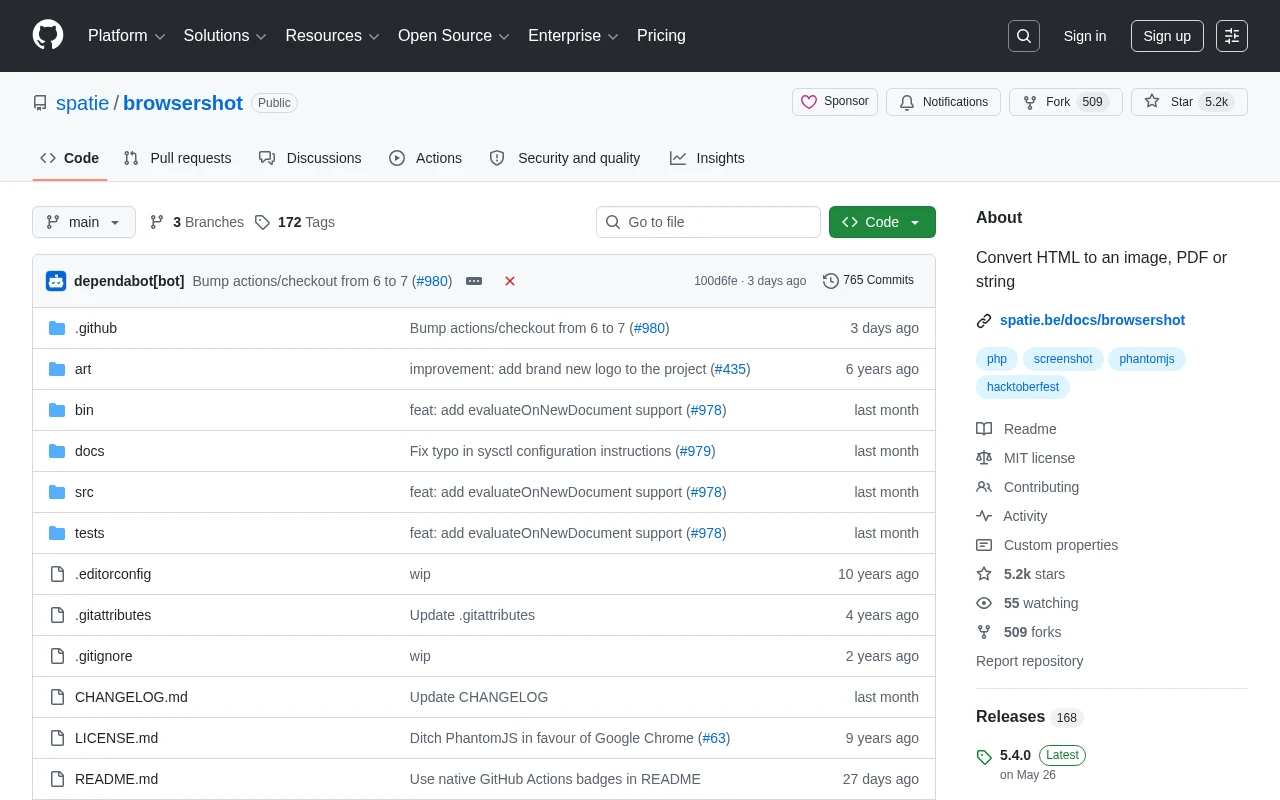
PHP has no built-in way to render a web page, so the moment you search for "php screenshot website" you hit a fork: install a headless browser stack and drive it from PHP, or skip the browser and call a hosted API over HTTP. This guide covers both honestly, with working code and the gotcha each one hits. First, a trap to clear out of the way.
The trap: imagegrabscreen is not what you want
The top result people find is PHP's imagegrabscreen(). It captures the operating system's desktop screen, the actual pixels on a monitor. It needs a graphical session, only works where a display is attached, and has nothing to do with loading a URL. On a typical headless Linux web server there is no screen to grab. If you want a screenshot of a website from its URL, imagegrabscreen is the wrong function. You need something that renders the page in a browser.
Approach 1: Spatie Browsershot (the standard DIY route)
Browsershot is the most popular PHP screenshot library. It does not render anything itself; it shells out to a Node.js script that drives Puppeteer and a headless Chromium. So the API is clean PHP, but the work happens in a real browser:
use Spatie\Browsershot\Browsershot;

Browsershot::url('https://example.com')
    ->windowSize(1280, 720)
    ->fullPage()
    ->waitUntilNetworkIdle()
    ->save('example.png');
Install it with composer require spatie/browsershot. The catch is everything that has to exist before that line runs: the server needs Node.js, the puppeteer npm package, and a Chromium binary, all installed and kept current. ->fullPage() captures the entire scrolling page instead of the viewport, and ->waitUntilNetworkIdle() is how you avoid capturing a half-loaded page. Browsershot is the right pick when you control the server and can run that Node plus Chromium stack. It is the wrong pick when you are on shared hosting, a locked-down container, or a platform where you would rather not babysit a browser.
The gotcha: waiting for the page
The most common bug in any headless capture is firing the screenshot before the page is ready. Do not lean on a fixed sleep. Browsershot gives you real signals:
Browsershot::url('https://example.com')
    ->waitUntilNetworkIdle()
    ->waitForFunction('document.fonts.ready')
    ->setDelay(500)
    ->save('example.png');
waitUntilNetworkIdle() waits for in-flight requests to settle, waitForFunction('document.fonts.ready') avoids a fallback-font flash, and setDelay adds a final cushion in milliseconds for animations or late hydration. The same class of problem and the same controls show up whether you drive Puppeteer directly in Node or a browser in Python.
Approach 2: Skip the browser, call an API
Browsershot means you install and operate a browser on your PHP server: Node, Puppeteer, a Chromium binary, the memory each headless instance eats, and the upgrade treadmill when Chrome ships a breaking change. If screenshots are a production feature rather than a one-off script, a screenshot API removes all of that. You send one HTTP request:
curl https://api.grabbit.live/v1/grabs \
  -H "Authorization: Bearer sk_live_..." \
  -H "Content-Type: application/json" \
  -d '{
    "url": "https://example.com",
    "width": 1280,
    "full_page": true,
    "format": "webp"
  }'
The same call from PHP with Guzzle:
use GuzzleHttp\Client;

$client = new Client();
$response = $client->post('https://api.grabbit.live/v1/grabs', [
    'headers' => ['Authorization' => 'Bearer sk_live_...'],
    'json' => [
        'url' => 'https://example.com',
        'width' => 1280,
        'full_page' => true,
        'format' => 'webp',
    ],
]);

$imageUrl = json_decode((string) $response->getBody(), true)['image_url'];
The response is a hosted image URL you can store and reuse:
{
  "id": "grb_01jx...",
  "status": "done",
  "image_url": "https://cdn.grabbit.live/grabs/grb_01jx....webp",
  "width": 1280,
  "format": "webp",
  "bytes": 48210,
  "execution_ms": 1180
}
The Browsershot options map cleanly onto request parameters: window size is width (320 to 1920) and height (240 to 1080), ->fullPage() is full_page, the wait becomes delay_ms (0 to 10000), and a single-element capture is a selector field. format is png, jpeg, or webp. There is no Node, Puppeteer, or Chrome to install on your side, because the render runs on the provider's infrastructure.
Which to use
- You control the server and can run Node plus Chromium: Browsershot. It is well maintained and gives you full control over the headless browser.
- Shared hosting, a slim container, or you would rather not operate a browser: a screenshot API, so PHP just makes an HTTP request.
- Whatever you do, not
imagegrabscreen: it captures the desktop, not a web page.
For the same decision in other languages, see screenshots in Python and screenshots in Node.js. If you are weighing hosted providers, the honest comparison of screenshot APIs covers the trade-offs without the marketing. Test-environment keys render free placeholders, so you can wire the request into your PHP code before adding a card.
FAQ
- How do I take a screenshot of a website in PHP?
- There is no built-in PHP function that renders a web page. The two real options are Spatie Browsershot, which drives a headless Chrome instance through Node and Puppeteer (Browsershot::url('https://example.com')->save('out.png')), or a hosted screenshot API, where you POST the URL over HTTP from Guzzle or curl and get back a hosted image. Pick Browsershot when you can run Node plus Chromium on the server; pick an API when you do not want to operate a browser.
- What does imagegrabscreen do in PHP?
- imagegrabscreen() captures the operating system's current desktop screen, not a web page. It needs a graphical session, only works where a display is attached, and has nothing to do with rendering a URL. It is the top result people find when searching for a PHP screenshot, and it is the wrong tool for capturing a website. Use Browsershot or a screenshot API instead.
- How do I take a full-page screenshot in PHP?
- With Browsershot, call ->fullPage() before saving so it captures the entire scrolling page rather than just the viewport. With a screenshot API, pass a single full_page parameter on the request. Both render the page in a real browser, so content below the fold and lazy-loaded sections are included.
- Why is my PHP screenshot blank or cut off?
- The usual causes are capturing before the page finished rendering and capturing only the viewport. In Browsershot, wait on the network with ->waitUntilNetworkIdle() or add a delay, and use ->fullPage() for content below the fold. Late-loading web fonts can also show a fallback font in the image. A screenshot API exposes delay_ms and full_page parameters for the same controls.
- Do I need Node.js to take a screenshot in PHP?
- For Browsershot, yes. It shells out to a Node.js script that drives Puppeteer and a headless Chromium binary, so the server needs Node, Puppeteer, and Chrome installed and kept up to date. If you cannot or do not want to install that stack, a hosted screenshot API removes the dependency entirely: the render runs on the provider's infrastructure and you only make an HTTP request from PHP.
Capture any website with one API call
Get a free test key and capture your first screenshot in two minutes.
Written by
Grabbit Team
Screenshots as a service
The team behind Grabbit, the screenshot API for developers and AI agents. We write about web capture, rendering, and automating screenshots at scale.
Keep reading
How to Screenshot a Website in Python (3 Approaches That Work)
Three ways to capture a website screenshot in Python: Selenium, Playwright, and a hosted API. Full-page captures, the gotchas each one hits, and when to skip running a browser entirely.
Jun 17, 2026 · 5 min read
How to Take a Website Screenshot in Node.js (4 Ways)
Four ways to screenshot a website in Node.js: Puppeteer, Playwright, the capture-website wrapper, and a hosted API. Working code, the trade-offs, and when to skip running Chromium.
Jun 18, 2026 · 4 min read
The Best Screenshot APIs in 2026 (An Honest Comparison)
Comparing the top screenshot APIs on billing model, per-grab cost, features, and agent support so you can pick the right one for your project.
Jun 11, 2026 · 6 min read