Testing & monitoring
Playwright Visual Regression Testing: Catch UI Bugs in CI
June 17, 2026 · 5 min read · Grabbit Team
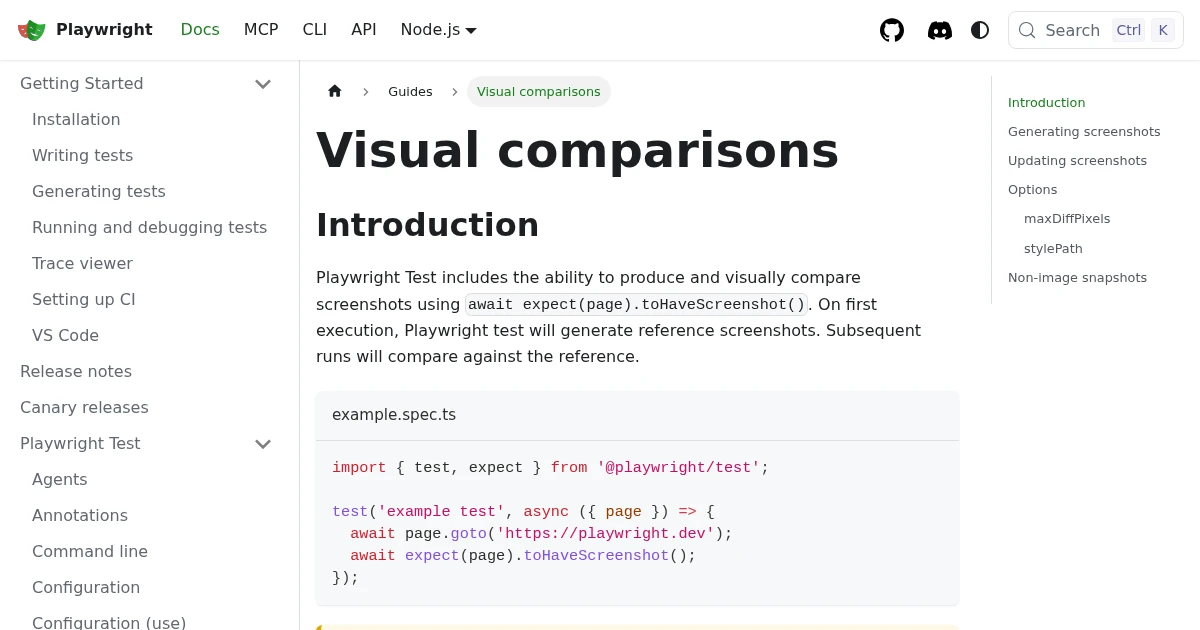
Playwright has visual regression testing built in. One assertion, toHaveScreenshot, captures the page, diffs it against a stored baseline, and fails the test when the UI changes unexpectedly. The setup is genuinely a few lines. The hard part is not the API; it is keeping baselines stable so CI catches real regressions instead of failing on font rendering. This guide covers both.
The core workflow: toHaveScreenshot
A visual test is a normal Playwright test with one screenshot assertion:
import { test, expect } from '@playwright/test';

test('homepage looks correct', async ({ page }) => {
  await page.goto('https://example.com');
  await expect(page).toHaveScreenshot('homepage.png');
});
On the first run, there is no baseline, so Playwright captures homepage.png and saves it, and the test "fails" once to tell you a baseline was created. On every run after that, it captures a fresh screenshot, compares it pixel by pixel against the saved baseline, and passes only if they match within your threshold.
toHaveScreenshot is the right assertion to reach for: it auto-waits for the page to stop changing and retries until the screenshot is stable, which removes a whole class of flaky-capture bugs. Prefer it over the older toMatchSnapshot.
Updating baselines after an intentional change
When you change the UI on purpose, the baseline is now wrong and the test should fail until you accept the new look. Regenerate baselines with a flag:
npx playwright test --update-snapshots
This rewrites the baseline images for any test whose capture changed. Commit those images so the new baseline travels with the code in Git, and reviewers can see the visual diff in the pull request.
The real problem: CI flake
The most common frustration is tests that pass locally and fail in CI. This is almost never a real regression. It is the rendering environment: a different OS, different fonts, a different GPU, or a different browser build produces sub-pixel anti-aliasing differences that fail an exact-match comparison.
Two fixes, used together:
1. Generate baselines in the CI environment. Do not commit baselines captured on your Mac and expect them to match a Linux CI runner. Generate them inside the same container that runs the tests, commonly the official Playwright Docker image, so the rendering matches.
2. Allow a small diff. Set a tolerance so anti-aliasing noise does not fail the build:
await expect(page).toHaveScreenshot('homepage.png', {
  maxDiffPixelRatio: 0.01, // tolerate up to 1% differing pixels
});
maxDiffPixelRatio and maxDiffPixels are the two knobs. Start strict and loosen only as far as you must to stop false failures, or you will mask real regressions.
Masking dynamic content that flakes on purpose
Loosening the diff threshold is the wrong fix for content that changes every run: a timestamp, a live view count, a rotating ad slot, an animated carousel. Those regions differ legitimately on every capture, and raising maxDiffPixelRatio high enough to ignore them also blinds the test to real bugs elsewhere on the page. The right tool is mask, which paints named regions with a solid box before diffing so they are excluded from the comparison:
await expect(page).toHaveScreenshot('dashboard.png', {
  mask: [
    page.locator('.last-updated'),
    page.locator('[data-ad-slot]'),
  ],
});
For animations, stop them at frame zero rather than masking. toHaveScreenshot sets animations: 'disabled' by default, which freezes CSS animations and transitions to their end state, but JavaScript-driven motion (a canvas chart tweening in, a JS carousel) is not covered. Wait for that content to settle with waitForSelector or a short pause before the assertion, the same timing discipline a clean screenshot needs anywhere. Mask what is genuinely non-deterministic; freeze or wait for what is merely slow.
Where a screenshot API fits
Playwright's toHaveScreenshot is the right tool for asserting your own components and pages inside a Playwright suite. A screenshot API is not a replacement for it; it is a complementary capture layer for a few specific jobs:
- A stable, environment-independent baseline source. Capturing the same URL through a hosted browser fleet gives you a consistent render that does not depend on each developer's machine.
- Capturing pages outside your test suite. Monitoring a live production page or a third-party page you do not control, on a schedule, is a capture job, not a Playwright test.
- A reference image of the real deployed page to compare against, rather than a locally rendered one.
Here is a baseline capture as a single request:
curl https://api.grabbit.live/v1/grabs \
  -H "Authorization: Bearer sk_live_..." \
  -H "Content-Type: application/json" \
  -d '{
    "url": "https://example.com",
    "width": 1280,
    "full_page": true,
    "format": "png"
  }'
The response includes a hosted image you can store as a reference:
{
  "id": "grb_01jx...",
  "status": "done",
  "image_url": "https://cdn.grabbit.live/grabs/grb_01jx....png",
  "width": 1280,
  "format": "png",
  "bytes": 96420,
  "execution_ms": 1240
}
Width accepts 320 to 1920, height 240 to 1080, full_page captures the whole page, and delay_ms (0 to 10000) lets content settle before the shot. To be clear about scope: Grabbit captures the images. The diffing, the assertions, and the pass/fail live in Playwright or your VRT tool of choice.
Putting it together
- Use
toHaveScreenshotfor component and page assertions inside your Playwright suite. - Generate baselines in the CI container and allow a small
maxDiffPixelRatioso you catch real regressions, not font noise. - Reach for a screenshot API when you need a consistent baseline source or to capture pages that live outside the test suite.
For the bigger picture, see the practical guide to visual regression testing and the roundup of visual regression testing tools. For Playwright screenshot mechanics beyond testing, see taking screenshots in Playwright.
FAQ
- How do I do visual regression testing in Playwright?
- Use the built-in assertion await expect(page).toHaveScreenshot(). On the first run Playwright saves a baseline image; on later runs it captures a fresh screenshot, diffs it against the baseline, and fails the test if the difference exceeds your threshold. No extra library is required for the core workflow.
- How do I update Playwright snapshots?
- Run your tests with the --update-snapshots flag (npx playwright test --update-snapshots) to regenerate the baseline images after an intentional UI change. Commit the updated images so the new baseline travels with the code. In CI, generate baselines in the same environment that runs the tests to avoid font and rendering differences.
- Why do Playwright visual tests fail in CI but pass locally?
- Almost always because the rendering environment differs: different OS, fonts, GPU, or browser build produce sub-pixel differences from your local baseline. The fix is to generate and store baselines in the same container that runs CI (commonly the official Playwright Docker image), and to set a maxDiffPixelRatio so tiny anti-aliasing differences do not fail the build.
- What is the difference between toHaveScreenshot and toMatchSnapshot?
- toHaveScreenshot is the modern, screenshot-specific assertion: it auto-waits for the page to stabilize, retries until the image is consistent, and has image-specific diff options. toMatchSnapshot is the older, general-purpose snapshot assertion that also works for non-image values. For visual testing, prefer toHaveScreenshot.
- Does Playwright visual testing need a paid service?
- No. The toHaveScreenshot workflow is built in and free. Paid services (Chromatic, Percy, and similar) add hosted baseline storage, review UIs, and cross-browser infrastructure on top. You can run the whole loop yourself with Playwright, Git for baselines, and CI.
Capture any website with one API call
Get a free test key and capture your first screenshot in two minutes.
Written by
Grabbit Team
Screenshots as a service
The team behind Grabbit, the screenshot API for developers and AI agents. We write about web capture, rendering, and automating screenshots at scale.
Keep reading
Visual Regression Testing: A Practical Guide for 2026
What visual regression testing is, how the baseline-and-diff workflow works, the best tools, and how consistent screenshots keep your visual tests from going flaky.
Jun 11, 2026 · 4 min read
The Best Visual Regression Testing Tools (Open Source and SaaS)
A practical rundown of the best visual regression testing tools in 2026, open source and SaaS, plus how to feed any of them consistent screenshots of deployed URLs.
Jun 14, 2026 · 7 min read
How to Take Screenshots in Playwright (Full Page, Elements, CI)
Everything you need to take screenshots in Playwright: the viewport default, full-page captures, element-level shots, and wiring it all into CI. Plus when to reach for an API instead.
Jun 14, 2026 · 10 min read